Discover Targets
Targets are domains that you add to the allowlist so that you can include them in apps and scans. Application Security targets the domain for the attacks in the scan configuration to test for vulnerabilities.
Discover targets in your domain
Even for targets that you know about, there are many items that make up a web app, so knowing the full makeup of that app can be difficult. You can easily discover publicly accessible targets within your domain without manually entering every domain or IP address with Discover Targets.
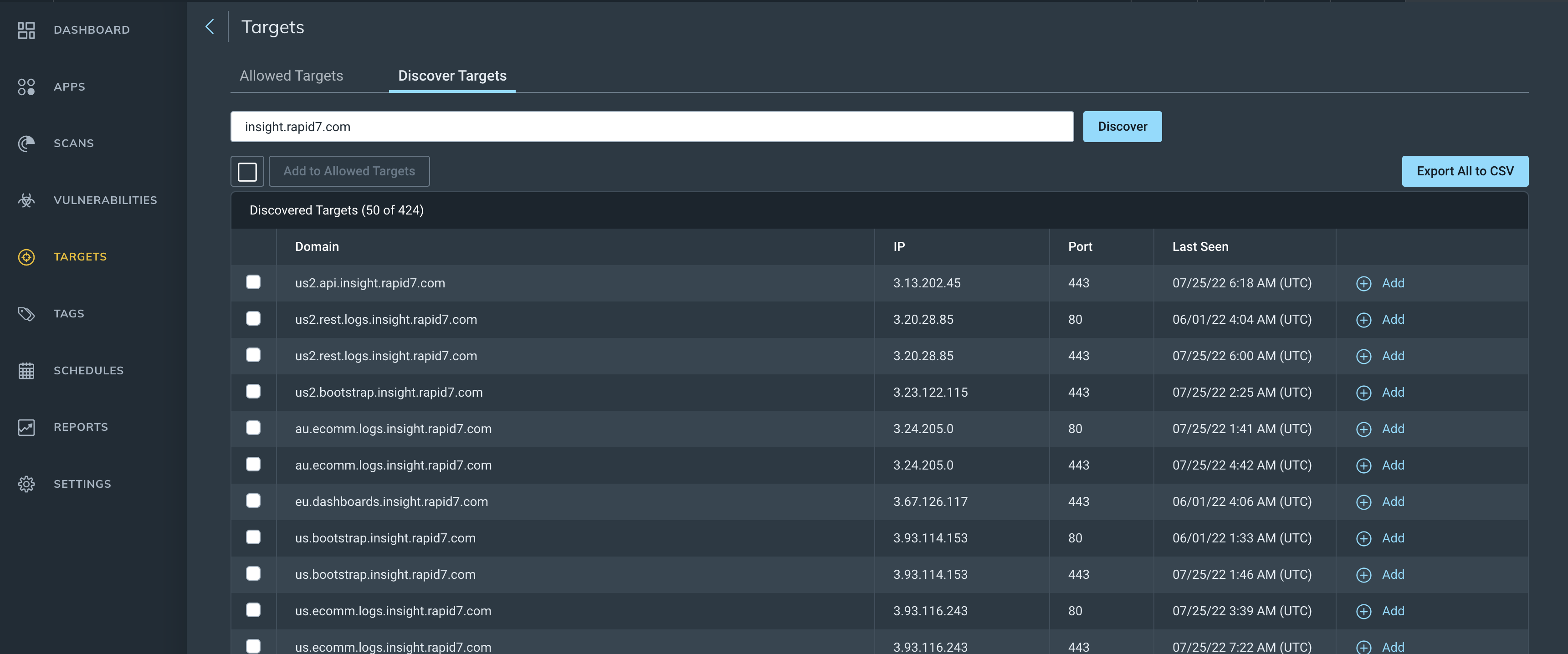
Search for targets
- Go to Targets > Discover Targets and enter either the domain, subdomain, IP address, or CIDR IP ranges.
- Click Run Discovery. Discovered targets are sorted by IP address.
- (Optional) Add targets to the allowlist. a. To add a single target, click Add in the domain row. b. To add multiple targets, select one or more targets and click Add to Allowed Targets.
Export to CSV
You can export discovered targets to a .csv file to get an overview of all applications related to a domain in your organization. Select all targets and click Export All to CSV. This may take a few moments.
example.com to support.example.com.FAQ
 Why are there duplicate domains?
Some domains and IP addresses may look like duplicates, but they actually have different ports or URLs. Check the Port column to confirm that this is the reason.
Can I add a target that is already on the allowlist?
No, you can’t add a target twice. If a target in the search results is already in the allowlist, instead of Add, a message confirms it is already in the allowlist.
Can I see the results of a different user's search?
No, you cannot save or export target discovery results. Searching is easy enough for anyone with access to run their own search.