Manage Vulnerabilities with ServiceNow ITSM
If you utilize ServiceNow for managing incidents across your organization, you can simplify your ticketing management and validate vulnerabilities faster by integrating with Application Security. You can easily export your vulnerabilities to ServiceNow so that vulnerability status and severity changes are automatically updated in both applications.
The connection between ServiceNow and Application Security is two-way integration. When an incident is updated in ServiceNow, the vulnerability status and severity in Application Security is also updated.
Integrate with ServiceNow
Integrate Application Security and ServiceNow in just a few steps. Download the Application Security app from the ServiceNow app store and configure it within ServiceNow. After configuration, add the ServiceNow connection to Application Security so that you can start exporting your vulnerabilities.
Before you begin
- Ensure you have an organization-level Application Security API key to use for ServiceNow configuration. If not, create a new key.
Download the Application Security ITSM app from ServiceNow
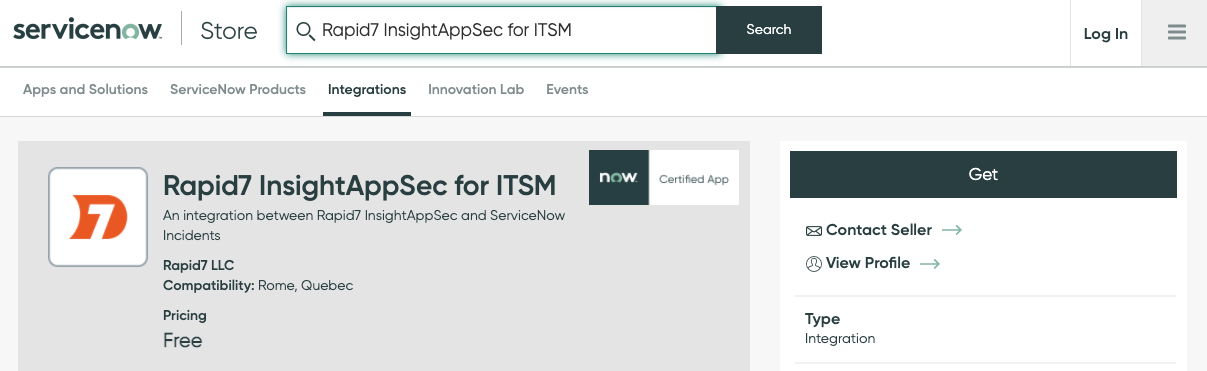
Application Security for ITSM is available in the ServiceNow Store which enables quick and easy integration at no additional cost. You must have a license for both products.
A Rapid7 Application Security connection configuration can be created by those with the x_r7_rapid7_inc.configuration_admin role or by any platform administrator.
Get the app
 Download the app and create a connection configuration
- In the ServiceNow app store, search for Rapid7 Application Security for ITSM.
- Download the app and create a Rapid7 Application Security connection configuration by following these instructions:
- Use the Filter Navigator to access the Rapid7 Application Security for ITSM application menu.
- In the Configuration module, click New and enter the required information. Optional fields can be populated or left empty depending on preference.
- Name - for the configuration
- Region Code - the Rapid7 data region
- API Key - a Rapid7 Application Security API Key
- Click Submit to save the configuration.
Create a dedicated integration user
After the connection configuration is created, you must create a dedicated integration user. To do so,
- Navigate to the User Administration > Users menu.
- Click New and complete the User details.
- Choose a password that conforms to the ServiceNow password policy.
- Check the Web service access only checkbox.
- Submit the changes to create the user.
- Navigate to the created user and select the user record for editing.
- In the Roles section select edit to add a new role.
- Add the x_r7_rapid7_inc.appsec_api_user role, click Save, then click Update.
This dedicated integration user will be configured inside Rapid7 Application Security when defining the ServiceNow connection.
Modify default mapping
To modify the default field mappings between Application Security and ServiceNow,
Modifying default field mappings is optional and can only be done by a system administrator.
- Go to System Import Sets > Administration > Transform Maps.
- Search for Application Security.
- In the Table Transform map, select Application Security Vulnerabilities.
- Modify the defined Field Maps.
Connect Application Security to ServiceNow
After configuring the connection in ServiceNow, add the ServiceNow connection details to Application Security.
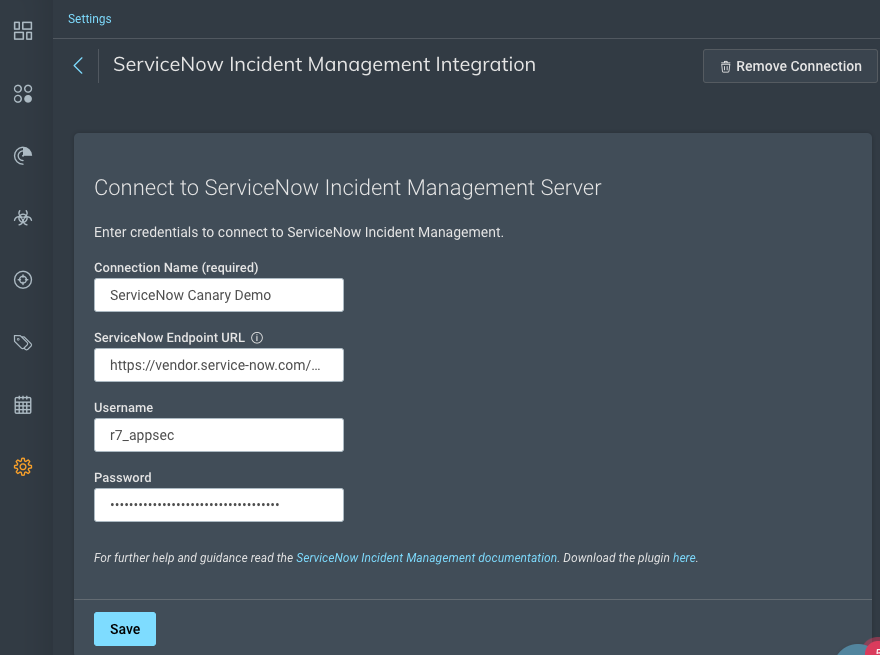
Add the ServiceNow connection
- In Application Security, go to Settings > Integrations, and click Enable ServiceNow Integration.
- Enter the connection details.
- To ensure the credentials work, click Test Connection.
- If the test connection fails, check the ServiceNow Endpoint URL and your credentials and try again.
- Click Save.
What is the ServiceNow Endpoint URL?
The ServiceNow endpoint is the URL and the API endpoint. For example: https://vendor.service-now.com/api/x_r7_rapid7_inc/v1/ias
Manage the connection
- Go to Settings > Integrations and click Manage ServiceNow.
- To edit the connection, update the connection details and click Save.
- To delete the connection, click Remove Connection and click Confirm.
Export vulnerabilities to ServiceNow
You can export vulnerability data in multiple formats for use in other applications.
- On the Vulnerabilities page or tab, select the vulnerabilities you want to export.
- Click Export Vulnerabilities and select ServiceNow.
What happens if I export a vulnerability that has already been exported?
The existing ticket in ServiceNow will be updated. A duplicate ticket for the same vulnerability will not be created.
Automatic updates to vulnerability status and severity
After a vulnerability is exported to ServiceNow, any changes to the status from either application are automatically updated in both places. In Application Security, these updates are tracked in the Change History field. Instead of a username associated with the change, changes made from ServiceNow display the change as made by API User.
Application Security and ServiceNow have different statuses and severities that are mapped to reflect the default statuses of each application.
Status mapping
ServiceNow allows you to customize incident statuses. This section describes the default mapping that is included in the configuration.
Updates to vulnerability status in Application Security map to the following ServiceNow incident statuses.
| Application Security vulnerability status | ServiceNow incident status |
|---|---|
| Unreviewed | 1 (New) |
| False Positive | 1 (New) |
| Verified | 1 (New) |
| Ignored | 1 (New) |
| Remediated | 1 (New) |
| Duplicate | 1 (New) |
Updates to incidents in ServiceNow map to the following Application Security statuses.
| ServiceNow incident status | Application Security vulnerability status |
|---|---|
| 1 (New) | N/A |
| 2 (In Progress) | N/A |
| 3 (On Hold) | N/A |
| 6 (Resolved) | Remediated |
| 7 (Closed) | Remediated |
| 8 (Canceled) | N/A |
Severity mapping
| Application Security severity level | ServiceNow severity score |
|---|---|
| Safe | 3 |
| Informational | 3 |
| Low | 3 |
| Medium | 2 |
| High | 1 |